Posts

Showing posts with the label How To's?

How to buy Bitcoins in India using Zebpay

Image
Surely you might be reading or knowing about Bitcoins nowadays too much either it be from any news channel or any other media because of its instant price surging. But you don’t know from where to start to invest in Bitcoins. So today we will guide you through all the process of buying or investing in Bitcoin in India using the app called Zebpay. But before that lets briefly know about the Bitcoin that what exactly it is? Now simply you can say a Bitcoin is a digital currency which is not having any kind of physical existence of it at all. It only stored on your devices like mobile or computer or any third party wallets like the Zebay we are going to talk about.  It gets generated by a lot of calculations using high end computers. Now starting with the main question that how could you or I buy or invest into Bitcoins in India? First of all you need to know that in India you can only buy Bitcoins using the app called Zebpay which is an android app so its must for y...
Top 9 features of MIUI 9 that you are gonna fell in love with

Image
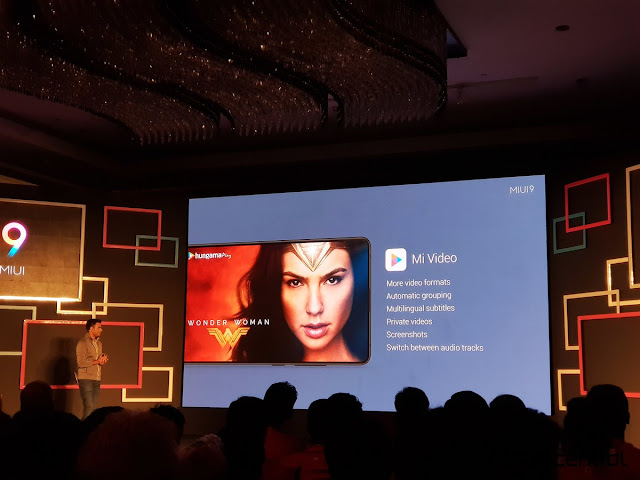
MIUI 9 is the latest MIUI from Xiaomi for their smartphones and glad that it's now available for most of the Xiaomi devices. Today we will be covering for the top 9 features this MIUI 9 will be coming with. Let's start from very first- New Notification Panel MIUI 9 now supports for the bundled notifications along with quick replies. Means you can easily now directly reply to any of your message from your notification panel itself. Image Editor MIUI 9 integrated a brand new feature into their Gallery app with the new photo editor which can intelligently erase background. Means you can easily remove any background elements from an image which does it job very well. App Faster Loads MIUI 9 is optimized to load your apps much faster than previous upto 2X speed. Also it's test to be as fast as the stock or pure android load apps. Mi Video App MIUI 9 comes with a new Mi Video app which can easily automatically group the videos from same TV shows to a single fold...

How to get loan from Paytm-ICICI Postpaid Service? Upto Rs 20,000 without any interest for 45 Days

Image
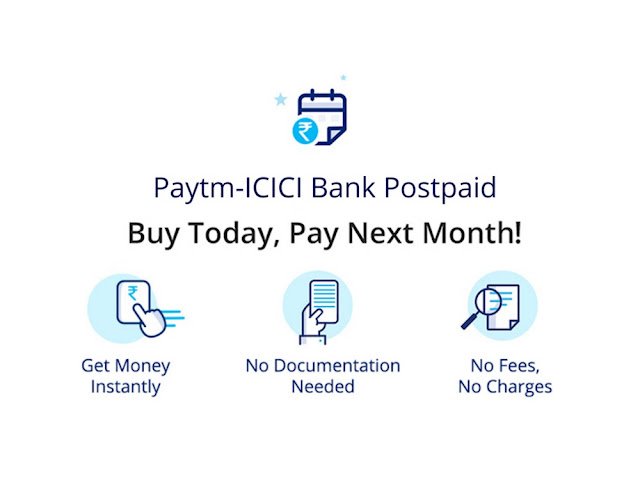
Recently Paytm came up with an amazing service named as Paytm-ICICI Bank Postpaid with the help of ICICI Bank which help the customers to get loan upto Rs 20,000 without any kind of interest charges upto 45 days and this credit limit will be from Rs 3,000 to more and depends upon your own credit score. You can easily pay for whatever thing you can earlier using the Paytm with the help of this loan. After one month the bill will be generated and will be sent to the customer on the 1st Day of Next month to pay. Now customer's will need to pay the bill within 15 days after bill generated but if he fails to do so in 15 days then he needs to pay Rs 50 charge along with 3% per month interest after 15 days of bill generated. You can follow these steps to get your Paytm Postpaid activated: Step:1 Tap on Paytm Postpaid in Profile Section. Step:2 Enter details like Adhaar & PAN to set up your Paytm Postpaid Account. Step:3 Your Paytm Postpaid account will be setup within...

Install MIUI 9 Global ROM manually on your Xiaomi Redmi Note 4 Now Officially!

Image
Xiaomi has launched MIUI 9 on 2nd of November but from that date yet Xiaomi doesn't managed to give the update to all users at once as Xiaomi said already that MIUI 9 for Redmi Note 4 is out. So finally Xiaomi has released the link for the update package of MIUI 9 for Redmi Note 4 users. Means now you can easily manually update your Redmi Note 4 to MIUI 9. Steps to upgrade to MIUI 9 ROM manually - Back up your data and apps before upgrading to MIUI 9. Stable ROM users of MIUI, please check your updater app and look for OTA update. If no OTA is available, download the Recovery ROM from below given link Open updater app - choose update package - select the ROM package you just downloaded Let the phone reboot, it will be updated to MIUI 9 Redmi Note 4 | MIUI 9 Global Stable V9.0.3.0.NCFMIEI Recovery ROM | 1236M | 37d94c8e224432ba74d329313fa1a7b6 http://bigota.d.miui.com/V9.0.3.0.NCFMIEI/miui_HMNote4XGlobal_V9.0.3.0.NCFMIEI_37d94c8e22_7.0.zip

Get Free Products from Flipkart for order upto Rs 150

Image
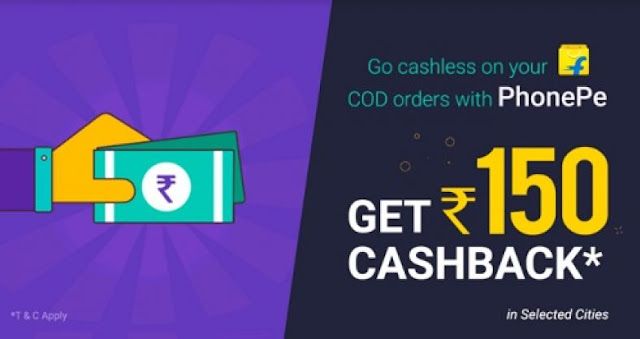
You heard that right that we are here with you all with a Flipkar PhonePe Loot. Currently Flipkart is offering 100% cashback for about upto Rs 150 on purchase of any product from Flipkart. This offer will be only available from Flipkart and valid on your first PhonePe payment on all your Flipkart COD shipments which will be only delivered by Ekart logistics. Also note that this offer is only valid in selected cities like New Delhi, Pune, Gurgaon, Lucknow, Kolkata, Ahmedabad, Chandigarh, Hyderabad, Mumbai, Bangalore and Chennai. Steps to get this Offer : First download or update your Flipkart app from here only ( Download Now. ) Download PhonePe App from this link only. ( Download Now. ) Install and open it, then login or signup your account. Search for any product which is of Rs 150 and add it to your cart. Enter your shipping details and phone number to be same as your PhonePe details. Select payment methods as Cash On Delivery only. Confirm your order and enjoy. On ...

How To Install Stable Android Nougat 7.1.1 ROM For Redmi 3S/Prime

Image
Everyone knows that Nougat is the latest Android OS currently in the market. But unfortunately its not available for everyone till now. So today we brought you some steps in order to get the stable Nougat ROM for your Redmi 3S/Prime if you need to get it ASAP. Must Do Things Before heading further- Custom Recovery Installed. ( TWRP Preferred ). Only Try on Redmi 3S/3S Prime. Bootloader should be unlocked. USB Debugging should be enabled. The Phone should be at least 70% Charged. Keep in mind that after flashing the ROM, your data will be permanently wiped so take a backup before flashing the ROM file. Steps to be Followed Now- Download the Android Nougat ROM for Redmi 3S/3S Prime. Click Here to Download. Now, since the ROM itself doesn’t include the Google Apps, download GAPPS File separately. Click Here to Download. Now, once the file has been downloaded, place it in the internal storage. Now, just boot into TWRP, then do a factory reset. Once it is done, just go...

Samsung Unveils Ultra HD Blu-ray Player, SleepSense Device at IFA 2015

Image
Samsung took to the stage at the ongoing IFA trade show event on Thursday to announce a range of Internet of Things products. The South Korean technology conglomerate unveiled the SleepSense health-centric device, and its first Ultra HD HD Blu-ray player. The firm also unveiled an Internet-connected Samsung WW8500 AddWash washing machine. First up is the company's first Ultra HD Blu-ray player. The company says that the player offers 64 times higher colour expression and four times the resolution of of standard Blu-ray devices. The device also offers upscaling to provide UHD resolution for "any disc," the company noted. The new Blu-ray player also supports high dynamic range (HDR) video. The  Samsung  SleepSense is a personal healthcare device designed to help people improve the quality of their sleep. The device does so by analysing sleep patterns - including duration and quality - and providing personalised sleep reports via its mobile app. Here's how it wo...